





Volume II Chapter 1 (January 4, 2024)

By Dennis Maidon in Forums Features
· 906 views
Welcome to 2024! I hope you all enjoyed the holidays.
You may have noticed that the GACE Forums have a new look. I bought a new theme called "Dimension" for the Forums. You can choose between a light and a dark version of this theme. You can also customize it to suit your needs and preferences. I will show you some of the customization features to help you get familiar with this theme and make the most of it.
First, let's get started with the User Menu at the top of the screen. This menu is embedded in the theme header.


The first menu shown is from the "Dark" theme and the second menu is from the "Light" theme. Click on the lightbulb to change to the "Light" version of the theme and the moon icon will change over to the "Dark" theme. This makes it easy to change from version to version depending on your preferences.
The slider icon is for the "Customizer" option for this theme. Click on the slider icon and the "Customizer" menu will appear.

1. Dark/Light mode? This allows you to switch from Dark to Light or Light to Dark mode.
2. Sticky header? The menu sticks to the top of the screen as you scroll down the page. You do not have to scroll back to the top of the page to change pages or screens.
3. Fluid width? This is useful for a large screen. Allows you to fill the screen.
4. Larger font-size for posts? For those of you that need a larger font.
5. Sticky author panel? Topic author panel sticks to top of screen.
6. Sticky sidebar? When scrolling down, sidebar stops scrolling when you get to bottom of scrollbar.
7. Flip sidebar? Flip sidebar to different side.
8. Enable Heart/Confetti/Snow effect? Certain holidays have special effects. Toggles effects on/off.
9. Show countdown? Toggle countdown timer on/off.
The footer is embedded in the these and looks more professional than the previous menu.
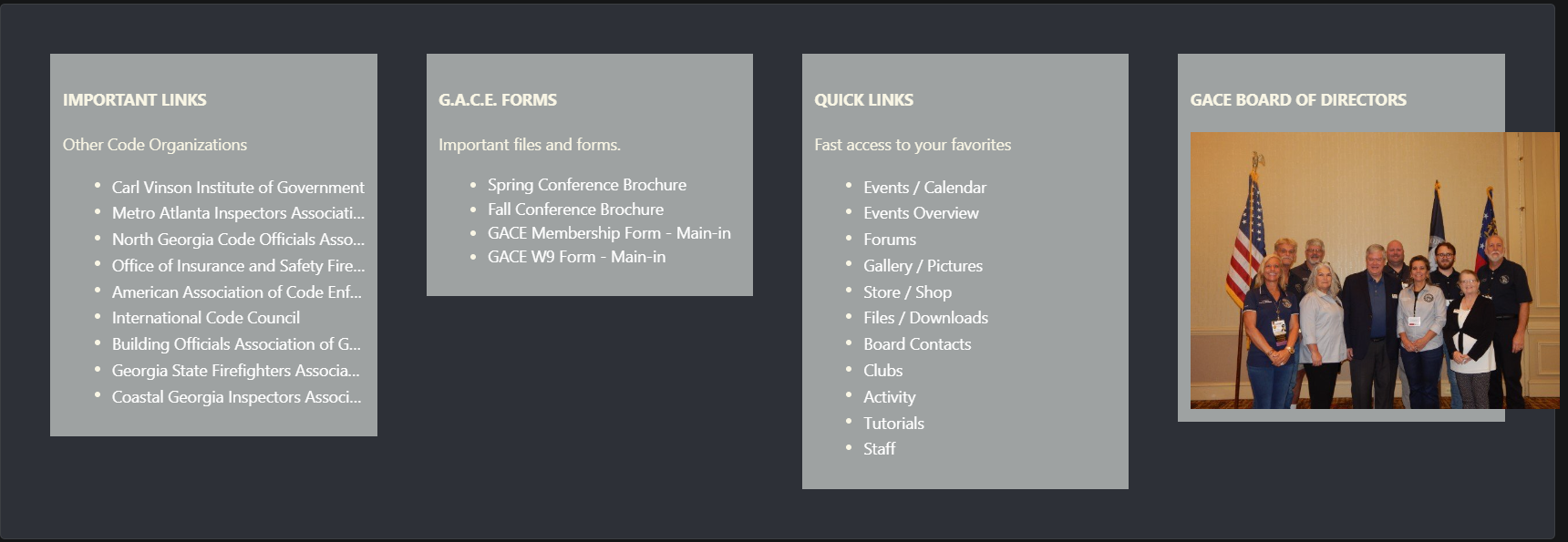
The Countdown Timer is also embedded in the theme and may be toggled by you using the "Customizer" menu.

Lastly, if you wish to change themes, scroll to the bottom of the screen and look to the "Theme" menu. Click on "Theme" and select the theme you wish to use.

Just play around with the various options. If you don't like the "Dimensions" theme, switch back to the old "Red/Black" theme. For those of you that didn't know, I modeled this theme using the UGA colors.
Enjoy!
Recommended Comments