






Set You GACE Certificate Level

By Dennis Maidon in Forums Participation
· 287 views
Effective January 1, 2026, a new profile setting was created to allow members to set their Certificate Level. This was due to an inquiry by the GACE president. To access this feature, you simply edit your profile to set you level of certification.
Click on your name at the top of the screen, then select "Edit Profile".
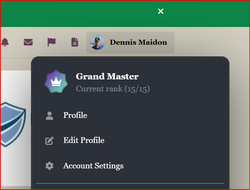
This will take you to the "Edit Profile" page. Scroll to the bottom of the page and you will see the following.
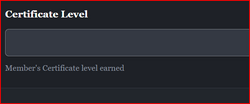
Click on the box below "Certificate Level" and you will then see 3 options:
Level I
Level II
Level III
None Currently
Click on the Certification level that you have currently obtained. If you have not yet obtained certification, select "None currently".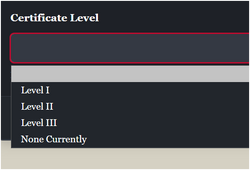
You will then click on the "Save" button.

When you or another member views your profile, they will see a box located on the left side of the page entitled "Retained". This will include you "Full Name" and "Certificate Level". Your "Member Title" will also show, if you have completed that block.

-
 2
2
Recommended Comments