






Posts - Follow, Share & Rate

By Dennis Maidon in Forums Participation
· 607 views
Ok, you've read a post that you like. You want to stay current with the responses but, you don't want to hunt the post down each time you logon. The answer, "Follow" the post.

Above each post, image, page and other articles, you will see an image similar to what you see above. Click the "Follow" button and you will be notified each time you logon if the post has been changes, altered or replied to. You may also set up your notifications so that you will receive and email from the Forums notifying you of any changes to the post or image that you are following. While there, rate the post or image on a scale of 1 to 5 stars as to how interesting or information it is. Click the "Share" button and you can share the post or image to you favorite social site or share with a friend or co-worker via email.


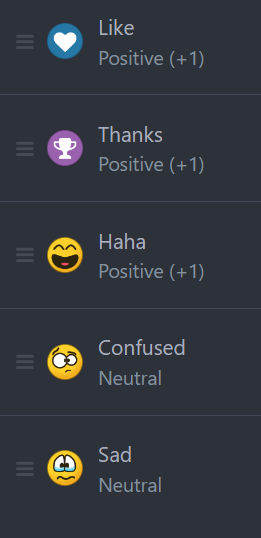
You will also see the "heart" button. This is where you can give the poster reputation points. Reputation lets the posters know how much they are appreciated for their posts and insights and also helps them towards new badges.
Below you will see the Reputation point values and icon meanings.
Don't just read, participate.
Recommended Comments